Moving into Las Sendas is exciting, but figuring out gate access and amenity cards can feel confusing. You want to get in and out smoothly, use the pools and fitness center, and make sure your family and guests can do the same. This guide walks you through how RFID stickers, gate remotes, and amenity cards work in Las Sendas and what you need to bring to the Trailhead office to get set up. You will learn the steps for owners and tenants, common HOA rules, and what to do if a device is lost or you change vehicles. Let’s dive in.
How access works in Las Sendas
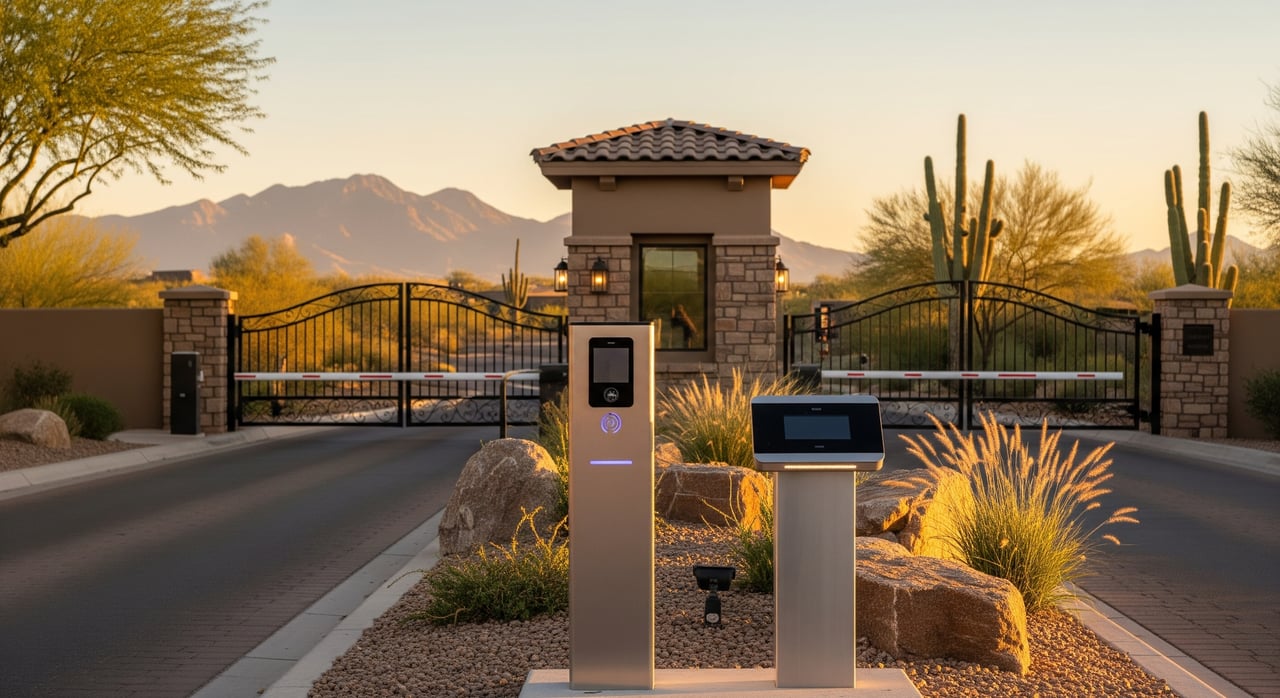
In Las Sendas, the HOA and the Trailhead office manage all access devices to protect residents and amenities. You will typically use three access tools:
- RFID stickers for automated gate entry from your windshield
- Handheld gate remotes to open neighborhood gates from your vehicle
- Amenity access cards or fobs to enter pools, fitness areas, clubhouses, and courts
Trailhead staff verifies your eligibility, programs your devices, and explains how to use them. Policies on who can receive devices, how many are allowed per household, and any fees are set by the HOA.
Eligibility: owners and tenants
If you are an owner
To receive devices, you should expect to provide:
- Government photo ID, such as a driver’s license or passport
- Proof of homeownership, such as a recorded deed, closing statement, recent property tax bill, or escrow paperwork. Confirm what the office accepts before visiting.
- Your property address or HOA account number to match records
- Vehicle registration for each vehicle that will receive an RFID sticker
Many HOAs require the homeowner account to be current before issuing devices. Confirm with Trailhead if any balance must be cleared first.
If you are a tenant
To receive devices, you should expect to provide:
- Government photo ID
- A current lease showing your name, the property address, the landlord or owner signature, and lease dates
- Owner or property manager authorization if required by the HOA, and confirmation that the owner’s account is current
- Vehicle registration for each car if you plan to request RFID stickers or register your plate
If you are not sure whether owner authorization is needed, contact Trailhead before you go.
Managers, vendors, and deliveries
Property managers and vendors are often issued temporary access or vendor codes rather than permanent devices. Expect to show a company ID, driver’s license, and a work order or proof of contract. Vendor access may be time-limited and must follow community rules for commercial vehicles and parking.
What to bring to Trailhead
Use this quick checklist so you do not make a second trip.
- Government photo ID
- Proof of ownership or a current signed lease
- Vehicle registration for any car receiving an RFID sticker
- HOA account number or property address
- Payment method for any fees or deposits
- Owner authorization letter if you are a tenant collecting on the owner’s behalf
The Trailhead visit: step by step
Before you go, check office hours and whether appointments are needed. Some offices have set times for walk-ins or specific windows for device programming.
Arrive with your documents. Staff will ask for ID, proof of ownership or tenancy, and vehicle registration if you are requesting RFID stickers.
Verification. Trailhead staff will match your information to HOA records and may confirm that the account tied to the property is current.
Forms and agreement. You will complete an access request form and sign an acknowledgment of rules and liability for your devices.
Issuance and programming. Staff will program RFID stickers to your vehicle, connect gate remotes to your household, and create amenity cards. A quick photo may be taken if required.
Payment. You will pay any required fees or deposits. Ask about initial owner waivers, replacement costs, and reprogramming fees.
Activation and instructions. Activation is often immediate. Ask if there is a waiting period and how to test your RFID at the gate. Request placement guidance and care tips.
Policies to confirm before you go
Policies can change, so it is smart to confirm the details with Trailhead.
- Device limits. Ask if there is a cap on RFID stickers, gate remotes, or amenity cards per household.
- Fees and deposits. Many communities charge a one-time fee for devices and a deposit for remotes. Replacement and reprogramming are usually extra.
- Account standing. Some HOAs require the owner’s account to be current before any devices are issued to owners or tenants.
- Transfers and returns. Ask whether remotes and cards transfer at closing or must be returned. Many communities require surrender at move-out or closing.
- Lost, stolen, or damaged devices. Report immediately so the device can be deactivated. Expect a replacement fee.
- Guest access and short-term stays. Guest passes and temporary codes may be available with limits on duration. Short-term rentals often have stricter rules or may be restricted.
- Minors and amenities. Many pools and fitness rooms require adult sponsors for minors. Some facilities require cardholders to be 18 or older or have signed parental waivers.
- Vendors and commercial vehicles. Some vendors need pre-arranged codes. Ask about delivery procedures and any size or parking restrictions.
Using RFID stickers, remotes, and cards
RFID stickers: placement and performance
RFID placement matters for reliable reads. Follow the placement point that Trailhead recommends, often near the rearview mirror on the inside of the windshield. Improper placement can reduce read range and cause the gate not to open. After installation, test the sticker at a low speed and follow any activation steps advised by staff.
Environmental factors can affect performance. Windshield tint, metallic coatings, and sun glare can reduce reader range. If you have read issues, return to Trailhead so staff can inspect placement and help troubleshoot. Each vehicle that needs hands-free entry will need its own RFID sticker.
Gate remotes: use and care
Most remotes work at a safe distance from the gate, usually with a single press. Some require a press and hold. Ask staff how your specific remote operates. If your remote stops working, replace the battery first. If it still fails, it may need reprogramming by Trailhead. Do not attempt DIY programming since systems are usually proprietary to the community’s security vendor.
Keep remotes secure. Avoid giving a remote to anyone who is not approved, and report theft or loss right away so the device can be disabled.
Amenity access cards: rules and tips
Amenity access cards or fobs control entry to pools, fitness areas, clubhouses, and courts. Some systems use photo cards for identity verification. Expect to register all adult cardholders in your household and ask about supervision rules for minors. Do not share your card with non-residents or unapproved guests. If a card is lost or damaged, contact Trailhead immediately for deactivation and replacement.
Special situations to plan for
- New construction closings. Builders sometimes provide a temporary way to access the community. Permanent devices are usually issued after closing and recording of the deed. Confirm whether you or your builder initiates the request.
- Lease turnovers and move-ins. If you rent your home, coordinate device issuance and returns with your tenants. Many owners require written authorization for tenants to pick up devices and include a device return clause in the lease.
- Vehicle changes and remodels. If you sell a car or change license plates, update Trailhead and bring new registration so the RFID record can be reassigned. If a windshield is replaced, you may need a new sticker.
- Multiple households at one address. If your property has more than one unit or an attached casita, ask how devices are assigned and whether limits apply per unit.
If a device is lost, stolen, or broken
Take action right away to protect your household and the community.
- Notify Trailhead immediately so the device can be deactivated.
- Bring ID and proof of ownership or tenancy if you need a replacement.
- Pay any replacement fee and sign updated forms if required.
- Ask for written confirmation that the lost device was removed from the active access list.
Quick questions to ask Trailhead
Use these questions to confirm the details that matter to you.
- What documents are accepted to prove ownership or tenancy?
- Are there fees or deposits for RFID stickers, remotes, or amenity cards, and what are the amounts?
- How many devices are allowed per household by type?
- Do I need an appointment, and what are the current office hours and contact options?
- Are devices transferable at closing, or must they be returned to the office?
- What is the process for reporting and deactivating lost or stolen devices, and how fast can that happen?
- What are the rules for short-term rentals and guests?
- How soon after issuance are devices active, and are there any activation steps?
- Is a photo taken for amenity cards, and how is access data retained or used?
Privacy, safety, and responsibility
Access devices may record time and date logs when used. The HOA typically retains access data to manage community security according to its rules. Keep devices secure, avoid sharing them with unapproved users, and follow posted rules at gates and amenities. Noncompliance can result in fines or restricted access as outlined in the community’s rules.
Your next step
Gather your documents, confirm office hours, and visit the Trailhead office to get your devices issued and activated. If you are planning a move, a lease turnover, or a new vehicle purchase, coordinate early so your access is uninterrupted.
If you want local guidance on buying or selling in and around Las Sendas, the Avenue 43:19 team is here to help with a concierge process and trusted vendor coordination. Ready to see what your home could sell for or plan your next move? Get Your Free Home Valuation with Avenue 43:19.
FAQs
How do I get an RFID sticker in Las Sendas?
- Bring your government photo ID, proof of ownership or current lease, and vehicle registration to the Trailhead office, complete the access form, pay any fee, then follow staff guidance for placement and activation.
What documents do tenants need for amenity cards in Las Sendas?
- Tenants typically need a government photo ID, a current signed lease with address and dates, possible owner or manager authorization, and payment for any fees if required.
How are guests granted access in Las Sendas?
- Guest access often uses temporary codes, guest lists, or day passes that must be sponsored by a resident, with limits set by the HOA and verification by the Trailhead office.
What should I do with gate remotes at closing in Las Sendas?
- Confirm the HOA’s transfer policy with Trailhead, since some devices must be returned at closing while others stay with the property and are reassigned to the new owner.
How fast can Trailhead deactivate a lost gate remote in Las Sendas?
- Report the loss immediately, and Trailhead can disable the device upon verification; ask for confirmation that it has been removed from active access.
Do short-term rental guests receive Las Sendas amenity access?
- Many HOAs restrict or require registration for short-term rentals, and amenity access for short stays may be limited or unavailable, so confirm specific rules with Trailhead before hosting.